
Most businesses don't find out their credentials are on the dark web until after the damage is done. An employee's email and password quietly surface in a breach dump. Someone uses them to access your CRM or file server. Weeks later, you're explaining to customers why their data was exposed.
Dark web monitoring exists to close that window. Instead of waiting for the breach to announce itself, it scans underground forums, marketplaces, and data dumps continuously and alerts you the moment your corporate credentials appear.
But not all tools are built for the same audience. A solution designed for enterprise SOC teams is overkill for a 50-person company. A consumer identity protection app doesn't cover your corporate domain. And most standalone monitoring tools detect the threat but stop there — they can't do anything about the device the compromised credentials belong to.
This guide covers the best dark web monitoring tools for businesses in 2026, organized by what each one actually does best.
What to look for in a dark web monitoring solution
Before comparing tools, it helps to know what separates a useful solution from a checking-the-box one.
- Coverage breadth: The dark web isn't one place. Stolen credentials circulate across Tor sites, private Telegram channels, paste sites, and underground forums. A monitoring tool is only as useful as the sources it scans. Ask vendors specifically what they monitor — and whether it includes infostealer logs, not just breach dumps.
- Severity scoring: Not every exposed credential is equally dangerous. A monitoring tool that surfaces 400 alerts with no prioritization creates noise, not security. Look for tools that distinguish between low-risk exposures (old, likely already rotated passwords) and critical ones (recent, active credentials with matching domains).
- Coverage of asset types: Basic tools monitor email addresses. Better tools monitor corporate domains. The best ones also flag financial data, PII, session tokens, and API keys. Understand exactly what categories your tool will detect.
- Response capabilities: This is the gap most tools ignore. Detecting that credentials were leaked is step one. Step two is containing the risk — forcing a password reset, locking the compromised account, or remotely securing the device those credentials came from. Tools that stop at detection leave the response entirely on the IT team.
- SMB and MSP usability: Enterprise platforms built for SOC teams with dedicated threat analysts don't work well for IT teams of one. Look for tools with clear dashboards, actionable alerts, and pricing that scales with your actual fleet size.
The best dark web monitoring tools for businesses in 2026
Prey Breach Monitoring
Best for: IT teams managing distributed device fleets who want credential monitoring and device response in one place. Schools, healthcare organizations, MSPs, and SMBs that need to demonstrate compliance without adding another tool to their stack.
Most dark web monitoring tools operate in a silo: they detect a credential exposure and send you an alert. What you do next — find the device, lock it down, wipe it if needed —happens in a completely separate system, if at all.
Prey Breach Monitoring is the exception. It's part of Prey's endpoint security platform, which means when a credential exposure is detected, you can immediately act on the device it belongs to from the same dashboard. Lock it remotely. Wipe sensitive data. Trigger a geolocation check. The detection and the response live in the same place.
What it monitors:
- Corporate domains
- Corporate email credentials and leaked passwords
- PII (names, addresses, phone numbers, national IDs)
- Financial data
- Session tokens and other credential types
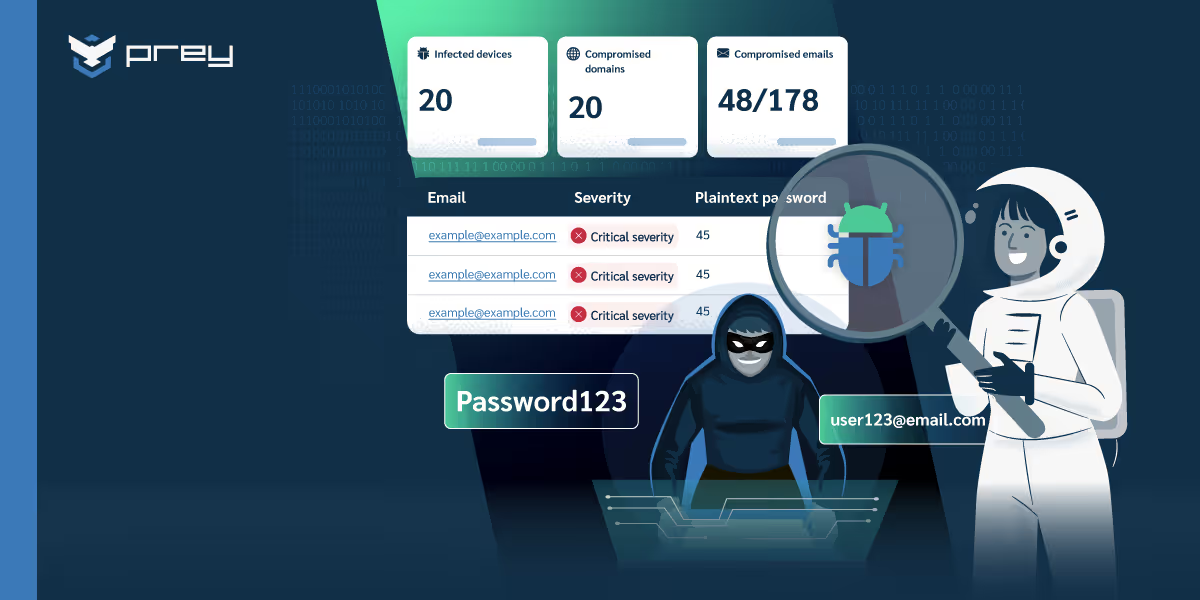
How it works: Weekly updated reports give IT teams a clear picture of their organization's data health. Each exposure is assigned a severity score — Low, High, or Critical — so teams know what to prioritize. The dashboard breaks down exposures by asset category and lists the top compromised email addresses. Reports are downloadable as CSV for compliance documentation or board reporting.
Where it stands out:
- Single platform for monitoring + device response — no context-switching between tools
- Multi-tenant MSP portal: monitor credential health across all client accounts from one console
- Covers Windows, macOS, Linux, Android, and iOS fleets under the same account
- Pricing designed for SMBs, not enterprise security teams
- Included in paid Prey plans — no separate tool to purchase or integrate
Honest limitations: Prey Breach Monitoring is not a dedicated threat intelligence platform. It doesn't provide raw dark web feed access or deep analyst tooling. Organizations that need real-time threat intel for a SOC operation will want a more specialized tool.
Is your company data lurking in the dark web?
Uncover compromised company data and credentials before attackers strike.
Detect your data exposure
SpyCloud
Best for: Organizations focused on account takeover prevention
SpyCloud specializes in catching credentials before they're widely circulated. Its particular strength is infostealer log detection, it identifies data stolen by malware fromemployee machines even before that data surfaces in the larger dark web ecosystem.
For organizations worried about targeted account takeover attacks rather than bulk breach exposure, SpyCloud's early-warning capability is genuinely valuable.
Strengths: Deep infostealer coverage, API-first for integration with SOC workflows, good for credential remediation workflows.Limitations: Pricing is enterprise-oriented. No device management integration. Requires a security team to act on findings.
Flare
Best for: Security teams that need breadth and threat intelligence depth
Flare monitors a wide range of underground sources including Telegram channels, dark web forums, paste sites, and cybercrime marketplaces. It's particularly good for organizations that need to track leaked source code, internal documents, or brand mentions alongside credential monitoring.
Strengths: Broad source coverage beyond standard breach dumps, usable by mid-size security teams, good alert customization.Limitations: More complex to set up and use than SMB-focused tools. No device management layer.
Have I Been Pwned (Domain Monitoring)
Best for: Small teams that need a free baseline check
Troy Hunt's Have I Been Pwned remains the most transparent and widely referenced breach database available. The Domain Monitoring feature allows businesses to verify whether any email addresses under their domain have appeared in known public breaches.
It's not a real-time monitoring service — it only covers publicly disclosed breaches, not live dark web activity — but for a small team starting to take credential security seriously, it's a useful and free first step.
Strengths: Free for domain monitoring, transparent methodology, widely trusted.Limitations: Only covers publicly disclosed breaches. No continuous monitoring of live dark web sources. No severity scoring, response tooling, or MSP capabilities.
CrowdStrike Falcon Intelligence
Best for: Enterprise security operations centers
CrowdStrike's dark web monitoring is part of its broader threat intelligence platform. It provides context-rich alerts tied to active threat actor profiles, industry-specifictargeting patterns, and intelligence from CrowdStrike's global sensor network.
This is the right tool for a dedicated security team that needs dark web visibility as part of a broader threat intelligence operation.
Strengths: Unmatched threat intelligence depth, real-time alerting, integration with the broader Falcon XDR platform.Limitations: Designed for enterprise security teams with dedicated analysts. Pricing reflects that. Significant overkill — and significant cost — for SMBs, schools, or healthcare organizations without a security operations function.
Dashlane Business
Best for: Teams that want dark web monitoring bundled with password management
Dashlane's business tier includes dark web monitoring across all employee credentials alongside its password manager. If your team doesn't have a password manager yet, this is an efficient two-for-one.
Strengths: Credential monitoring integrated into the password manager workflow, easy for employees to use, IT admin visibility into credential health.Limitations: Monitoring scope is limited to credentials stored in Dashlane. Not a standalone monitoring platform. No device management integration.
Comparison at a glance
Each tool is scored on the criteria from the first section: what it scans, how it prioritizes alerts, whether you can act on the affected device, MSP support and pricing for small teams. Table updated October 2026.
| Tool | Best for | What it scans | Alerts and prioritization | Response on the device | MSP support | SMB pricing |
|---|---|---|---|---|---|---|
| Prey Breach Monitoring | SMBs, schools and MSPs with device fleets | Corporate domains and emails, leaked passwords, PII, financial data, session tokens | Weekly report, each exposure scored Low / High / Critical, CSV export | Yes, lock or wipe from the same dashboard | Yes, multi-tenant portal | Yes, included in paid Prey plans |
| SpyCloud | Account takeover prevention | Infostealer logs and early credential exposure | Via API into SOC workflows | No | Limited | No, enterprise-oriented |
| Flare | Security teams needing breadth | Telegram channels, forums, paste sites, marketplaces, leaked code and documents | Customizable alerts | No | No | No |
| Have I Been Pwned | A free baseline check | Publicly disclosed breaches only | Domain lookup, no live monitoring or severity scoring | No | No | Free |
| CrowdStrike Falcon | Enterprise SOC teams | Dark web sources as part of a threat intelligence platform | Real-time alerts tied to threat actor profiles | No (separate platform) | No | No |
| Dashlane Business | Password management plus monitoring | Credentials stored in Dashlane only | Credential health view for IT admins | No | No | Yes |
Standalone monitoring vs. integrated monitoring
The core question when choosing a dark web monitoring tool isn't which one has the most sources. It's what happens after you get an alert.
Standalone monitoring tools detect exposures and notify you. What you do next depends entirely on your own processes and tools. For a security team with a mature incident response workflow, that's fine — they have the infrastructure to act.
Integrated monitoring connects detection to response within the same platform. When Prey Breach Monitoring flags a critical credential exposure, the IT administrator can immediately pull up the affected device, check its last known location, lock it remotely, or initiate a data wipe — without leaving the dashboard or opening a second tool.
For most SMBs and MSPs, the bottleneck isn't detection. It's the gap between "we know the credentials leaked" and "we've secured the device and rotated access." Integrated monitoring closes that gap.
How Prey Breach Monitoring works
Prey scans dark web sources for corporate credential exposures and delivers findings in a weekly report tied directly to your device management console.
What you see in the dashboard:
- Overall data health score for your organization
- Exposures ranked by severity: Critical, High, Low
- Top compromised email addresses by volume
- Asset category breakdown: credentials, PII, financial data, other
- Detailed view per exposed address with context on the breach source
What you can do from the same screen:
- Identify which device the compromised user account belongs to
- Lock the device remotely
- Trigger a geofence alert or location check
- Initiate a remote wipe if the exposure is critical
- Export the full report as CSV for compliance documentation (HIPAA, GDPR, FERPA, SOC 2)
For MSPs, the multi-tenant portal means you can monitor credential health across all client accounts from a single view — without logging into separate consoles.
Frequently asked questions
What is dark web monitoring for businesses?
Dark web monitoring for businesses continuously scans underground sources — including Tor sites, private forums, Telegram channels, and breach dumps — for corporate credentials, PII, and financial data. When a match is found, the system alerts the IT team so they can respond before the exposed data is exploited.
How do I know if my company's data is on the dark web?
The only reliable way to know is to use a monitoring tool that continuously scans dark web sources for your corporate domains and employee email addresses. One-time checks only capture what was already publicly disclosed — they miss fresh breaches and infostealer-sourced data.
Is dark web monitoring worth it for small businesses?
Yes — particularly because small businesses are frequent targets precisely because their security infrastructure is lighter. A single compromised credential can give an attacker access to your file systems, CRM, or customer data. Monitoring tools catch exposures before they're weaponized, often at pricing that fits SMB budgets.
What's the difference between dark web monitoring and identity theft protection?
Identity theft protection is designed for individuals — it monitors personal information like Social Security numbers and credit card details. Dark web monitoring for businesses focuses on corporate domains, employee credentials, and organizational data. The data sources, response workflows, and pricing structures are different.
Does Prey Breach Monitoring work for MSPs?
Yes. Prey includes a multi-tenant MSP portal where you can manage device security and credential monitoring across all client accounts from a single dashboard. It's designed for resale as a managed security service.
What compliance frameworks does dark web monitoring support?
Dark web monitoring can provide evidence of proactive security controls relevant to HIPAA, GDPR, FERPA, PCI DSS, SOC 2, and ISO 27001. Prey's downloadable reports give IT and compliance teams audit-ready documentation of breach monitoring activity.
What features should you look for in a dark web monitoring tool?
Look for continuous scanning rather than one-time checks, coverage of your corporate domains and employee emails, and breadth of sources: breach dumps, private forums, Telegram, and infostealer logs, not just old public leaks. Then check how it helps you act, severity scoring to prioritize, clear alerts, and audit-ready reports for compliance. Prey Breach Monitoring covers these with weekly reports, severity scoring (low, high, critical), a top compromised emails list, and a multi-tenant view for MSPs. A tool that only does a single lookup or skips severity tells you that you were breached, but not what to fix first.
Can dark web monitoring find exposed employee or work emails?
Yes. Business dark web monitoring scans by your corporate domain, so it surfaces employee and work email addresses found in breach dumps and infostealer logs, along with the passwords or data leaked alongside them. This is the gap consumer identity-theft tools miss: they watch one personal email, not an entire company domain. Prey Breach Monitoring returns a ranked list of your most exposed corporate addresses, so IT can force resets on the accounts that matter first.
What are the best dark web monitoring tools for businesses in 2026?
The right tool depends on what you're protecting and who's running it. Enterprise threat-intelligence platforms (Recorded Future, Flare, SpyCloud, Constella) offer the deepest dark web coverage and are built for large security teams with the budget and staff to act on raw intel. Identity-protection services (Aura, Experian, Identity Guard) focus on individuals, not a company's domains. And integrated breach monitoring, where dark web scanning is built into an endpoint or device-security platform, fits lean IT teams that want alerts they can act on without a dedicated analyst. Prey sits in that last group: Breach Monitoring scans for your organization's exposed corporate credentials and surfaces them with a severity score, in the same dashboard as the device tracking and protection you already run.
Should you choose standalone dark web monitoring or an integrated tool?
It comes down to team size and how you'll act on alerts. Standalone platforms give the deepest threat intelligence, but they're priced and built for large security operations centers that can triage a firehose of raw data. Integrated monitoring bundles dark web scanning into a tool you already use for endpoints or identity, so an exposed credential shows up next to the device and user it affects, ready to act on. For most IT teams without a dedicated threat-intel analyst, integrated wins on time-to-action. Prey takes the integrated route: Breach Monitoring lives alongside device tracking, lock, and wipe, so a leaked credential and the device behind it are one workflow, not two tools.

