The Health Insurance Portability and Accountability Act (HIPAA) plays a vital role in protecting the privacy and security of patient information within healthcare. This regulation ensures that sensitive data, such as Protected Health Information (PHI), is managed responsibly and remains safe from breaches or unauthorized access. The healthcare industry faces unique compliance challenges, especially when staff devices store or access PHI through apps, emails, or electronic health records. Since staff devices often store or access PHI through apps, emails, or electronic health records, managing these devices can be challenging. Mobile Device Management (MDM) solutions simplify this process by securing and organizing devices effectively, helping IT teams maintain HIPAA compliance without disrupting clinical workflows.
What exactly is an MDM? A Mobile Device Management solution is software designed to oversee and manage mobile devices like smartphones, tablets, and laptops used within an organization. In healthcare, it ensures that devices remain compliant with security protocols, receive necessary updates, and restrict unauthorized access, giving IT teams better control over staff devices while reducing the risk of data leaks. For healthcare IT teams, MDM is the operational backbone that keeps devices compliant, data protected, and staff productive.
Why is HIPAA compliance important?
HIPAA compliance is essential for safeguarding the privacy and security of patients' sensitive information, including upholding data privacy standards and protecting healthcare information, fostering trust between healthcare providers and their patients, and protecting organizations from legal liabilities, data breaches, and potential penalties.
Adhering to HIPAA ensures that healthcare providers operate responsibly and securely in an increasingly digital environment.
Challenges in maintaining HIPAA compliance
Ensuring HIPAA compliance presents unique challenges for IT teams in healthcare, as they must protect sensitive data across multiple devices and systems while also managing data from different sources such as healthcare devices, monitoring equipment, and medical notes. Balancing security requirements with staff productivity requires careful planning, especially given the risk of patient data errors and the importance of data quality as cyber threats grow and regulatory demands evolve.
IT Teams in healthcare face:
- Device management across multiple platforms: Staff uses multiple devices, personal and work-issued smartphones, tablets, and laptops.
- Securing remote and on-site access: Remote work and telehealth make secure access to PHI tricky.
- Monitoring data access and usage: Only authorized people accessing data at the right time.
- Keeping up with changing regulations: Staying up to date with HIPAA rules and all protocols.
- Handling data breaches: Quick response to breaches and meeting HIPAA reporting requirements.
- Training staff on compliance: Educating employees to recognize threats, use devices safely, and not mishandle data.
- System Uptime: Making sure compliance doesn't impact critical healthcare operations.
- Multiple operating systems: Managing security across devices running different operating systems, iOS, Android and Windows makes standardization tough.
- Vendor Compliance: Making sure third-party providers and solutions also comply with HIPAA.
Where MDM can help with HIPAA compliance
In healthcare, device management solutions are key to HIPAA compliance by ensuring every device used to access or store PHI meets strict standards. MDM solutions give IT teams the tools to monitor, control, and protect devices. By centralizing device policies and automating compliance checks, MDM solutions reduce the manual burden on IT teams while ensuring every device that touches PHI meets HIPAA standards.
Key MDM Features for HIPAA Compliance
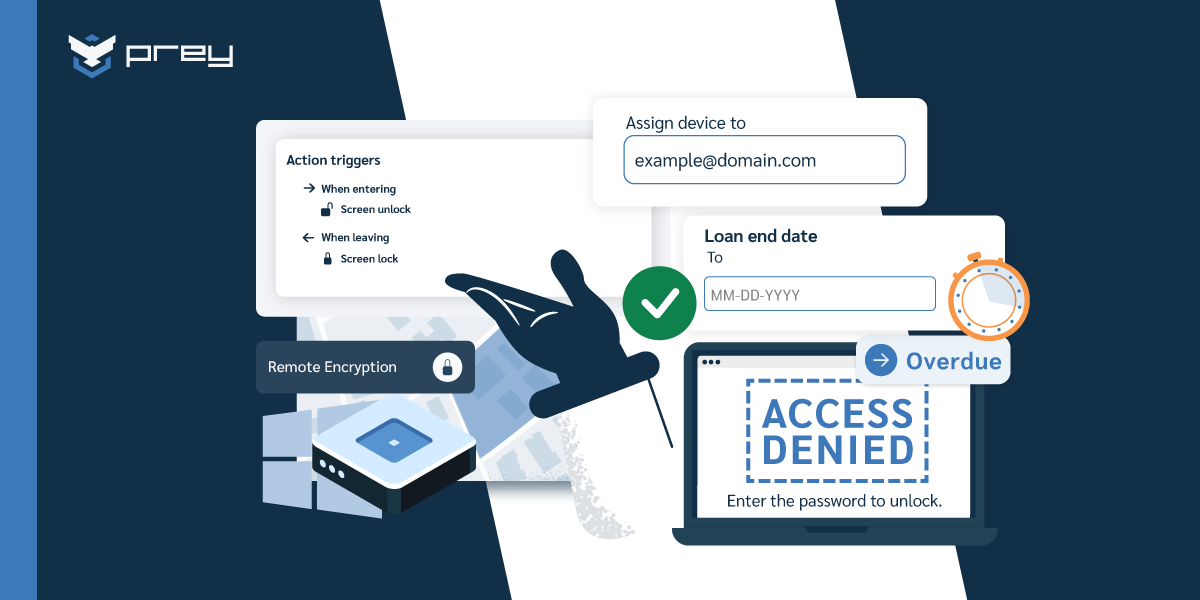
- Remote wipes/encryption: Allow IT teams to remotely erase or encrypt data from lost, stolen, or rogued devices to prevent unauthorized access to PHI.
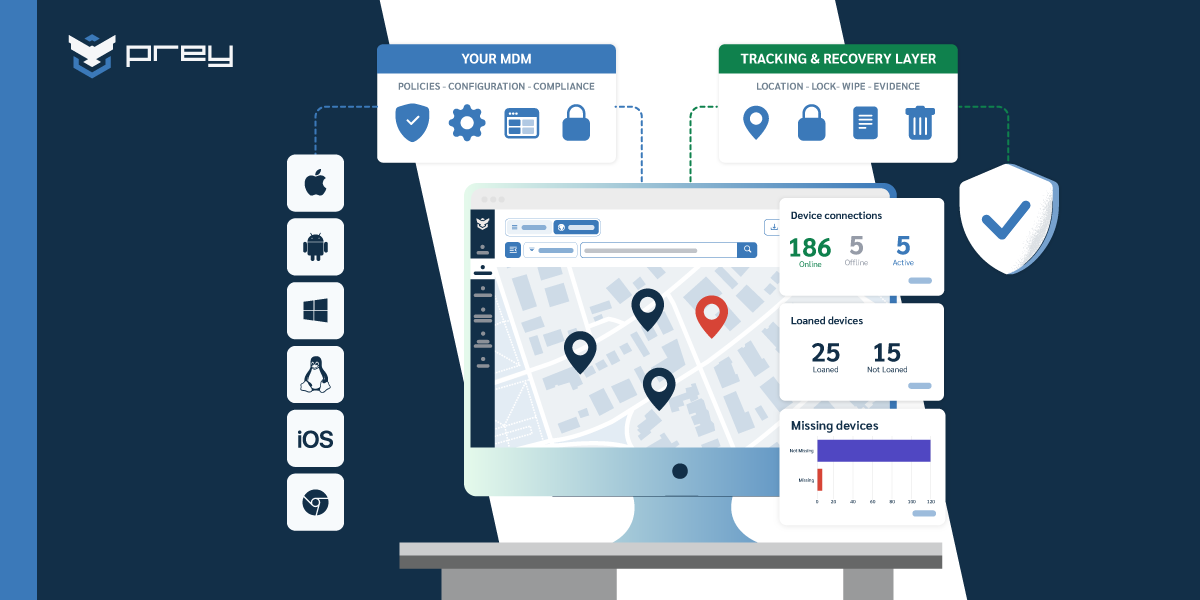
- Device tracking: Monitor the location and usage of devices to quickly identify and address potential security threats.
- Inventory management: Keep an up-to-date record of all devices in the network, ensuring no unmanaged devices access sensitive information.
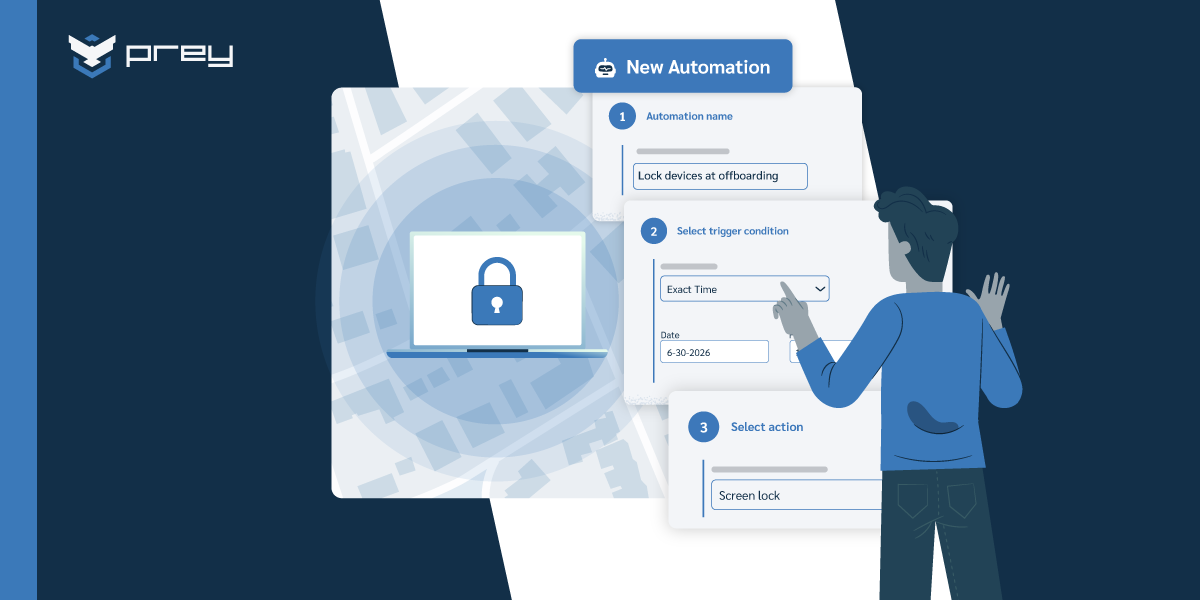
- Onboarding and offboarding support: Streamline the setup of new devices and securely remove access when employees leave.
- Access control policies: Enforce security policies such as encryption and multi-factor authentication on all devices.
- Support for care teams and healthcare staff: Ensure secure communication and device access for care teams and healthcare staff, empowering them with reliable tools to deliver high-quality patient care.
- Compliance monitoring: Automatically check devices for adherence to security protocols and notify IT teams of any vulnerabilities.
HIPAA device compliance checklist
Use this checklist to evaluate whether your current device management meets HIPAA requirements:
- Encryption: All devices storing or accessing PHI must use full-disk encryption (AES-256 recommended).
- Access controls: Multi-factor authentication (MFA) enforced on all devices accessing PHI.
- Remote wipe capability: IT must be able to remotely erase data from lost or stolen devices within 24 hours.
- Automatic screen lock: Devices must lock after a maximum of 2 minutes of inactivity.
- Device inventory: Maintain a current inventory of all devices with access to PHI, including serial numbers and assigned users.
- Audit logging: Track who accessed what data, when, and from which device.
- BYOD policies: Personal devices accessing PHI must be enrolled in MDM with containerization separating personal and work data.
- Patch management: All devices must run supported OS versions with security patches applied within 30 days of release.
- Offboarding protocol: When staff leave, device access must be revoked and data wiped within 24 hours.
- Breach response: A documented procedure for reporting device-related breaches to HHS within 60 days as required by HIPAA.
Comparing MDM solutions for healthcare
Not every MDM is built for healthcare. Here is how the leading options compare on features that matter for HIPAA compliance:
Implementing an MDM solution in your healthcare organization
Introducing MDM in your healthcare organization requires a structured approach to ensure it meets HIPAA regulations and your security needs. A well-planned implementation will help streamline device management, protect patient data, and enable IT teams to be compliant while supporting staff productivity.
How to Implement MDM in Healthcare
- Assess your situation: Identify the devices in use or need, deployment model, security risks, specific HIPAA compliance requirements.
- Choose the right MDM solution: Evaluate MDM platforms based on features like encryption, remote action capabilities, device tracking, and compliance monitoring.
- Involve key stakeholders: Collaborate with IT teams, compliance officers, and department heads to align goals and ensure the solution meets clinical and operational needs.
- Develop security policies: Create clear policies for device usage, access control, and data management that reflect HIPAA standards.
- Configure the MDM Platform: Set up the MDM system, including user permissions, encryption settings, and compliance alerts.
MDM Best Practices for Healthcare
Implementing MDM is just the first step. Keeping your MDM effective over time means adapting to new devices, staff changes, and regulatory updates. Here are the best practices to keep your MDM solution efficient, secure, and HIPAA compliant.
- Pilot the solution: Test the MDM with a small group of users to identify potential issues and gather feedback.
- Train employees: Provide training on device usage policies, security protocols, and MDM features to ensure staff compliance.
- Roll out organization-wide: Deploy the MDM solution across all departments, ensuring smooth integration with existing systems.
- Monitor and adjust: Monitor device compliance and behavior. Make adjustments based on feedback and changing regulations.
- Review and update policies: Regularly review security policies and MDM settings to stay aligned with HIPAA requirements and technological changes.
- Document everything: Maintain logs of device configurations, policy changes, and compliance audits. This documentation is critical for HIPAA audit readiness.
How Prey supports HIPAA compliance in healthcare
Prey gives healthcare IT teams the device security layer they need to maintain HIPAA compliance without adding complexity to clinical workflows.
- Remote wipe & factory reset: When a device containing PHI is lost or stolen, wipe it remotely in seconds. Prey supports full Windows factory reset — a capability most healthcare MDMs lack.
- Always-on GPS tracking: Know where every staff device is in real time. Geofencing alerts notify IT when devices leave hospital or clinic boundaries.
- Breach monitoring: Prey Breach Monitoring scans the dark web for leaked credentials tied to your organization's email domains. In healthcare, where stolen credentials can unlock access to patient records, early detection is critical.
- Device inventory & audit readiness: Maintain a centralized inventory of every device, its OS version, encryption status, and assigned user — exactly what HIPAA auditors look for.
- Multi-OS support: Windows, macOS, Linux, iOS, Android, and Chromebook — all from one dashboard. No gaps in your fleet coverage.
- Encryption enforcement: Verify and enforce BitLocker and FileVault encryption across your fleet, ensuring PHI is protected at rest.
Starting from $1.3/device/month, Prey delivers enterprise-grade device security at healthcare budgets. Start your free trial and see how Prey can simplify HIPAA device compliance for your organization.
Frequently asked questions
What is mobile device management in healthcare?
Mobile device management (MDM) in healthcare is software that helps IT teams manage, secure, and monitor devices like laptops, tablets, and smartphones used by clinical and administrative staff. MDM enforces security policies, controls app access, and enables remote actions like locking or wiping devices — all critical for protecting patient data and maintaining HIPAA compliance.
Is MDM required for HIPAA compliance?
HIPAA doesn't explicitly mandate MDM, but it requires organizations to implement administrative, physical, and technical safeguards to protect PHI. MDM is the most practical way to enforce these safeguards across mobile devices — encryption, access controls, remote wipe, and audit logging are all MDM capabilities that directly map to HIPAA requirements.
What happens if a healthcare device with PHI is lost?
Under HIPAA, a lost device containing unencrypted PHI constitutes a reportable breach. The organization must notify affected individuals within 60 days and report to HHS. With MDM, IT teams can remotely wipe the device immediately, potentially preventing the breach from being reportable if the data was encrypted or erased before unauthorized access.
How does Prey help with HIPAA compliance?
Prey provides always-on GPS tracking to locate missing devices, remote wipe and factory reset to protect PHI, geofencing to monitor device boundaries, encryption enforcement, device inventory for audit readiness, and dark web breach monitoring to detect leaked staff credentials. It covers the technical safeguards HIPAA requires, all from a single cloud dashboard.