

What Jamf can and can't tell you about a missing Mac
- What Jamf collects: Deep inventory from managed Macs (hardware, OS, apps, encryption status) but no GPS coordinates. The only location-adjacent field it returns by default is the last known IP address.
- Why the gap exists: It's Apple hardware, not Jamf's roadmap. MacBooks have no GPS chip, so no MDM platform can pull satellite coordinates from one. The limit is structural and permanent.
- iOS is different: iPhones and iPads can report coordinates through Lost Mode, but only when the device next reaches a network. There is no macOS equivalent.
- Recovery needs more: Location history, camera captures, screenshots and an audit record. Jamf was never built to collect any of it.
- What teams actually do: Most don't replace Jamf. They deploy, Prey, a lightweight tracking agent through a Jamf policy and let each layer do what it's good at.
It's Friday afternoon and someone reports a MacBook missing. You open Jamf, search the serial, and the record loads instantly: OS version, installed apps, FileVault status, last check-in, assigned user, every configuration profile that ever touched it.
Everything except where it is.
There's a field with an IP address. You look it up and it resolves to a hotel's guest network in another city, from three days ago. That's not a location. That's a router that a laptop once spoke to.
One Head of IT Infrastructure at a UK hospitality group running 300 devices put it plainly during a conversation with our team: "Jamf works for iOS, but it fails to provide the visibility for tracking lost or stolen MacBooks." If you manage an Apple fleet, you've probably had a version of that same Friday.
Here's the part that changes what you do about it: this isn't something you can configure your way out of, and it isn't a feature Jamf is behind on shipping. The limit lives one layer below the MDM. This article covers what Jamf does track, why the gap exists and why it's permanent, what a recovery case actually requires, and how teams close it without touching their Apple management setup.
What Jamf actually tracks on a managed Mac
Before deciding what's missing, be precise about what Jamf does give you. It's more than most people assume.
Jamf Pro collects extensive inventory from managed Macs: hardware specifications, OS version, installed applications, available disk space, FileVault encryption status, configuration profile assignments, and the last known local IP address. It does not collect GPS coordinates or continuous location data. Jamf's own community documentation states there is no geo-location service built into Jamf Pro.
That inventory depth is real: which Macs run an outdated Chrome build, which dropped off encryption compliance, which haven't checked in since the last OS push. Nobody leaves Jamf because the inventory is weak.
The confusion starts with the IP field, because it looks like a location right up until you need it. A local IP tells you what network segment a machine sat on. A public IP tells you roughly which ISP served it: a city, sometimes not even that. Neither updates continuously. Both are recorded at check-in, so that timestamp is the last time the machine phoned home, not the last time it moved.
For the person reconciling assets before a quarterly audit, that's usually enough. For the same person trying to recover a device on a Friday, it's the difference between a lead and a dead end. It's the distinction that runs through how MDM platforms handle location tracking generally: management telemetry and recovery telemetry are collected for different reasons, on different schedules, and are not interchangeable. Our guide to Apple device management covers the management side.
Quick win: Run an inventory report filtered on last check-in date. Count how many Macs have been silent for 30 days or more. Every one of those is a device whose IP field is already stale, and you found that out on a calm Tuesday instead of during an incident.
Why can't Jamf locate a MacBook?
This is the part that surprises people who assume it's a roadmap problem.
Macs have no GPS hardware. Unlike iPhones and iPads, MacBooks cannot report satellite coordinates, so no MDM platform, Jamf included, can pull GPS location from a Mac. iOS devices can report coordinates through Lost Mode, but only when the device next reaches a network, and only as a single point rather than a continuous track.
The distinction gets lost because Apple presents its devices as one ecosystem, and in management terms they mostly are. In hardware terms they aren't. iPhones and cellular iPads ship with GPS radios because they were built to navigate. MacBooks weren't.
The consequence for an Apple shop is specific: your recovery workflow works on the half of your fleet that gets lost least. A school IT director running Apple's Lost Mode on iPhones and iPads through Jamf School has a working process for iPads. The staff MacBooks in the same Jamf instance, carrying more sensitive data and traveling far more often, have nothing equivalent.
Two threads from Jamf Nation, the company's own community forum, document the boundary better than any vendor comparison could. On Macs: "There is no geo-location service built into Jamf Pro. The only thing collected by default is the Mac's local IP address." And on why the iOS side can't be made continuous either: "iOS does not allow full backgrounding, nor does it allow background reading of GPS location."
That's not a competitor's characterization. That's admins telling other admins where the platform ends.
It matters for how you plan. If this were a product gap, the rational move would be to file a feature request and wait. It isn't: Apple would have to change how Macs are built.
What happens when a Mac actually goes missing
Go back to the hospitality group. Three hundred devices, Jamf Pro handling the Apple fleet properly, a two-person IT team. An area manager reports her MacBook gone on a Friday; she thinks it was left in a taxi, but she isn't certain, and she was at three properties that day.
The team does everything right. They pull the record, confirm FileVault is on, and queue a remote lock, which Jamf will deliver the next time the machine checks in. They look at the IP field: a guest network at the second property, Wednesday evening. They call the hotel. Nobody has handed anything in.
Then the waiting starts, and the waiting is the actual problem. The device is managed, encrypted and lockable, and the team still cannot answer the two questions their director asks on Monday, the two every IT Director we speak with eventually asks: "Do we know where this device is? Do we know what we can do to recover this device?"
Meanwhile a separate clock is running. Nobody can confirm whether the machine was powered on or whether anyone reached the data. Under most breach notification regimes the reportable question isn't "was it encrypted," it's "can you demonstrate what happened to it." An encrypted laptop with no location history leaves you arguing from absence of evidence, which is weak with a regulator, an insurer, or your own board.
Nine days later, the MacBook checks in from a residential IP on the other side of the city. The lock command finally lands. Nobody ever finds out how it got there, and the incident closes as unresolved.
The recovery evidence Jamf was never built to collect
Say you do get a location. You'd think that's the hard part. It isn't.
Recovering a stolen laptop requires more than a position. Police reports and internal investigations need timestamped evidence: location over time rather than a single point, photographs from the device camera, screenshots of active sessions, and a record of who was signed in. Jamf collects none of these, because device management and theft recovery are different problems solved by different categories of tool.
Location over time is the piece people underestimate. A single coordinate tells you where a machine was at one moment, roughly as actionable as an IP address. A track tells you whether the device is parked at a residential address, moving along a highway, or sitting in a pawn shop. Police act on patterns; they don't dispatch on a dot.
The identity evidence matters even more, and not only for theft. An IT manager in construction described a case almost every IT team eventually meets: a departing employee insisted he had returned his laptop. The company's records disagreed. The device was still reporting, and it produced a photograph of him using it at home. "Had a user that stated he turned it in. Showing him his picture of him using it. We got that back real fast."
The useful part isn't the confrontation. It's that the dispute ended in one conversation instead of three weeks of HR correspondence. Offboarding disputes are a normal part of recovering a stolen laptop workflows, and the evidence that resolves them quietly is the same evidence that supports a police report when it's genuinely theft.
None of this is a criticism of Jamf's design. You wouldn't want your MDM opening the camera on managed machines as a routine function. That's a different trust model, and it belongs in a tool you deploy deliberately for it, with role-based access and a clear policy on who can trigger it.
Quick win: Write down today exactly what evidence you could hand a police officer for a device lost this afternoon. If the list is "serial number and a purchase invoice," you've found the gap before an incident found it. While you're there, decide who on your team is authorized to trigger remote actions.
How do you add a tracking layer without replacing Jamf?
Organizations rarely replace Jamf to solve this. The common approach is to add a lightweight tracking agent alongside it, deployed through a Jamf policy to already-enrolled Macs. Jamf keeps configuration, compliance, patching and device management. The second layer takes location and recovery.
An IT services provider in Panama put the requirement in one line during a demo: "Our current MDM doesn't allow continuous tracking. We're looking for a complement, not a replacement." That framing is the norm. Across 57 sales conversations we reviewed, every organization that brought up Jamf raised the same issue: they could manage their Macs but couldn't find them. Not one asked to replace Jamf.
There's a detail worth sitting with. The Jamf Nation thread that documents the location gap doesn't stop at the diagnosis. Asked how to actually recover a stolen Mac, an admin there points at a third-party agent: "Once installed, Prey captures screenshots of the desktop and pics from the camera, along with location data." That's Jamf's own community, on Jamf's own forum, routing the recovery question outside the platform. Not because Jamf is bad at what it does, but because this was never inside its scope.
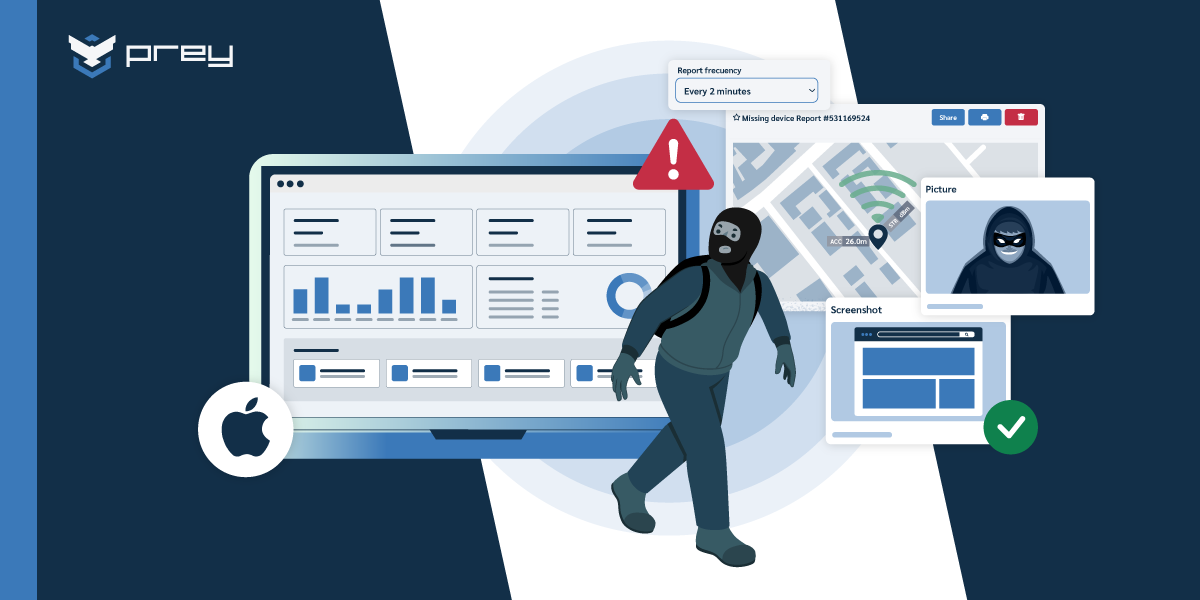
That's the shape of the complement, and it's worth being concrete about what the layer does. Prey runs as a lightweight agent alongside Jamf and reports always-on device location from the Mac using Wi-Fi triangulation and nearby network data, covering the hole the missing GPS chip leaves. On top of position it collects what Jamf doesn't: location history with timestamps, camera captures, screenshots, and Control Zones that fire an automated lock or alert when a device leaves a defined area. It runs on Windows, macOS, Linux, Android and iOS under one account, so the devices outside your Jamf license land in the same dashboard. Jamf stays your management plane; this is the layer you open when something goes missing.
The deployment path is boring, which is the point. You package the agent, scope it to a smart group, and push it through a Jamf policy on the existing enrollment. No re-enrollment, no change to your configuration profiles, no touching Apple Business Manager.
One limitation to be explicit about, because your team will ask. An OS-level agent does not survive a full disk wipe and clean reinstall. Neither does Jamf's enrollment. If someone formats the drive, both layers are gone. What you can do is make that slower: Activation Lock so the hardware is worth less to resell, a firmware password on the Macs that justify it, and early alerting as the actual control. Most opportunistic theft starts with a lid being opened, not a wipe. The window where the device still reports is the window you're buying.
Quick win: Deploy to a five-machine smart group first. Confirm location reporting and macOS permission prompts behave as expected on your current OS version, then scope wider. Ten minutes of scoping beats forty support tickets.
What this changes for EDU and MSP fleets
The gap compounds in two settings. In education, Jamf School manages iPads well while staff and student MacBooks (the higher-value devices, and the ones that leave campus) have no location workflow. For MSPs, Jamf is Apple-only by design, so any client with Windows or Android devices needs a second platform regardless of how good the Apple management is.
For a school technology director the arithmetic is familiar. A K-12 IT team running a 1:1 program told us they lose four or five student devices a year as a baseline. The iPads are recoverable through Lost Mode when they surface. The teacher and staff MacBooks, carrying gradebooks, IEP documents and anything else covered under FERPA, are managed beautifully and cannot be located. Add a technical college library that reported a device missing for over a year with no way to retrieve it, and the pattern is clear: the devices that hurt most to lose have the weakest recovery path.
Budget makes it worse, because the obvious fix is what an EDU budget won't absorb. Jamf for Mac runs around $12.50 per device per month billed annually, macOS only, 25-device minimum. Standing up a second full management platform at that order of spend to close one gap doesn't survive a board meeting. A tracking layer priced per device across all operating systems is the version that gets approved.
For MSPs the constraint is structural, not financial. Jamf's partner program is Apple-only, and your design agency client with 40 Macs also has a bookkeeper on Windows and a shared Android tablet at reception. You either turn those away, run a second tool per client, or run one multi-tenant layer across the whole book. One mid-market G2 reviewer, Erik G., described the requirement exactly: "The ability to locate IT assets in a multi-platform environment as we have Apple and Windows assets. And the ability to lock a device if it becomes lost, stolen or the individual says they can't bring the assets back." It's the logic behind MSPs managing mixed client fleets generally: the constraint is rarely one client's fleet, it's the overhead of N consoles across N clients.
Quick win: If you're an MSP, calculate what share of devices across your client base falls outside an Apple-only license. If you're in EDU, cross-reference your loaner inventory against what your MDM can actually locate today. Both take twenty minutes and both tend to surprise people.
Where this leaves you
Jamf is good at what it was built for. If your Apple fleet is well managed, encrypted and patched, Jamf is probably why, and none of that changes because of a gap in location telemetry.
But the gap is real, structural, and not going to close. Macs don't have GPS chips. Jamf can't build around Apple's hardware, and a roadmap that assumes otherwise is planning around a release that will never ship. That reframes the question: it stops being "is Jamf the right MDM" (it may well be) and becomes "what layer covers what my MDM structurally cannot."
The practical answer for most teams is additive, not a migration. Keep Jamf for management. Add a layer that reports location continuously, captures recovery evidence, and covers the non-Apple devices your license was never going to touch. Deploy it through the Jamf policy engine you already run.
Start here this week: pull your Jamf inventory and check the last check-in date on every Mac. The ones quiet for a month are the ones you'd be searching for blind. That list is your gap, in device count, before anyone loses anything.
Frequently asked questions
Does Jamf Pro track Mac location?
Not continuously, and not by GPS. Jamf Pro collects the last known local IP address at check-in, along with full hardware and software inventory. Jamf's own community documentation confirms there is no geo-location service built into the product. An IP can suggest a general area but is not a usable position for recovery.
Can Jamf find a stolen MacBook?
Jamf can lock or wipe a stolen MacBook once it reconnects to the internet, but it cannot show you where it is. There is no location history, no camera capture, no continuous position. Teams that need real recovery capability typically add a dedicated tracking layer alongside Jamf rather than replacing it.
Does Jamf Lost Mode work on Macs?
Lost Mode is an iOS and iPadOS feature. It locks a device, displays a custom message, and reports GPS coordinates when the device next connects to a network, though not continuously. There is no macOS equivalent, because Macs lack the GPS hardware the feature depends on.
What is the Windows equivalent of Jamf?
There isn't a direct one, because Jamf is Apple-only by design. Mixed fleets typically pair Microsoft Intune for Windows with an Apple-focused platform, or run one cross-platform tool covering Windows, macOS, Linux, Android and iOS. Running two management consoles is common; running two tracking layers usually isn't.
Can you run Prey and Jamf on the same Mac?
Yes. They operate at different layers and are commonly deployed together. Jamf handles configuration, compliance and application management; Prey handles always-on location, geofencing and recovery evidence. The agent is pushed to already-enrolled Macs through a Jamf policy, with no re-enrollment required.
What happens if someone wipes the Mac?
An OS-level agent does not survive a full disk wipe and clean reinstall, and neither does Jamf enrollment. The practical mitigations are Activation Lock to cut resale value, a firmware password on high-risk machines, and early alerting so you can act while the device still reports. Most opportunistic theft doesn't begin with a wipe, which is the window worth protecting.
See what the tracking layer looks like on your fleet
If you're running Jamf and can't locate your MacBooks, a 15-minute walkthrough shows what location history, geofencing and recovery evidence look like on top of an existing Jamf setup. No migration, no re-enrollment.