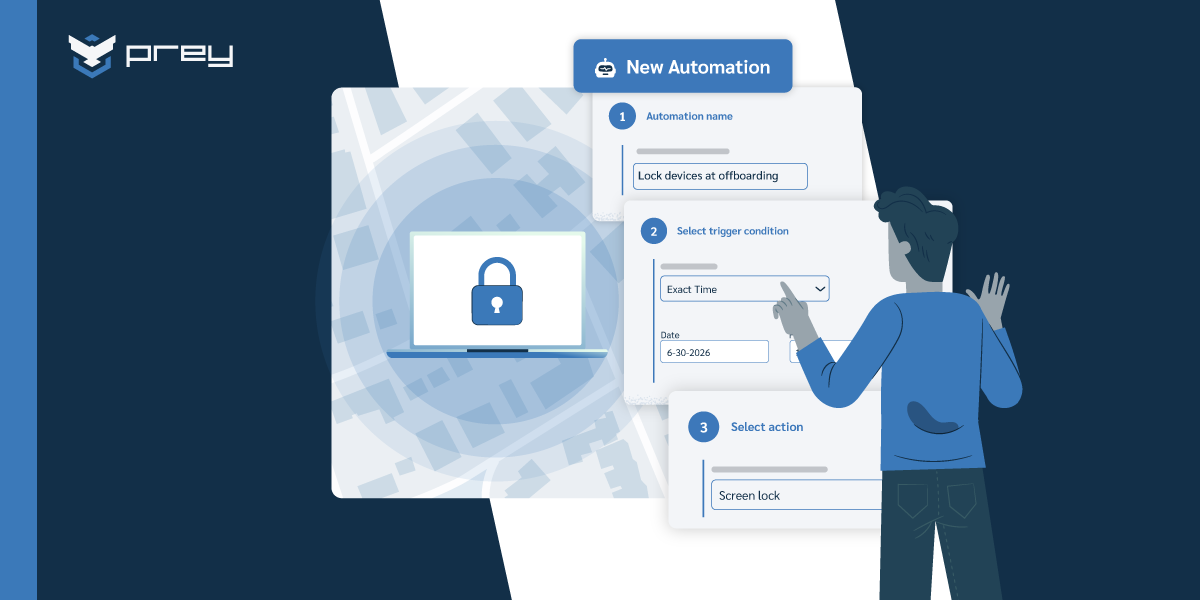
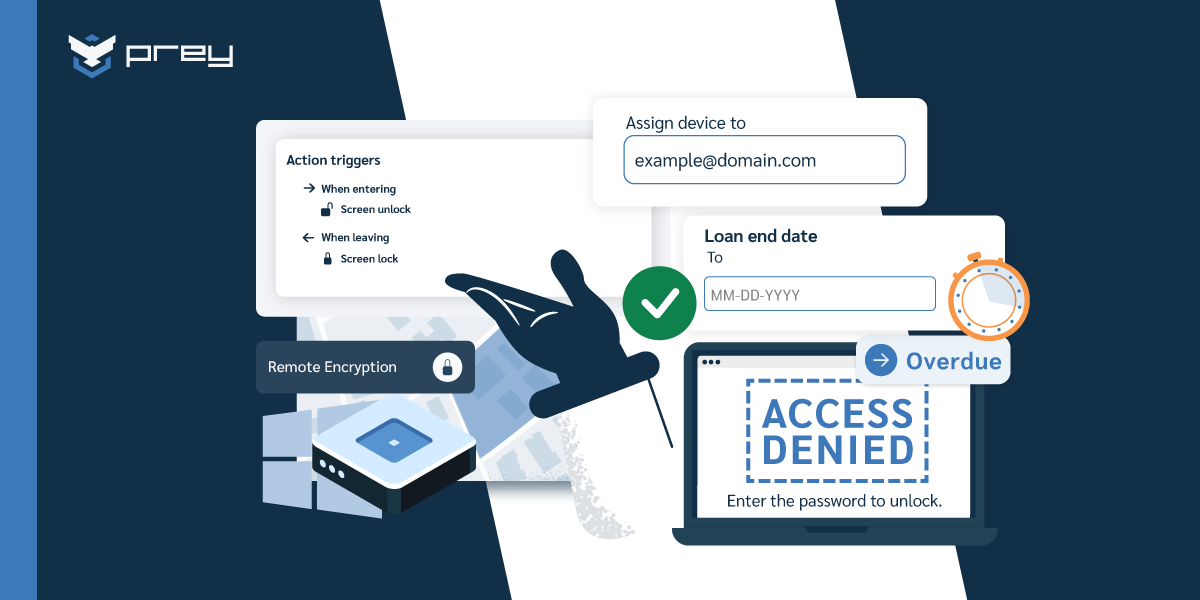
What mobile device management is and does
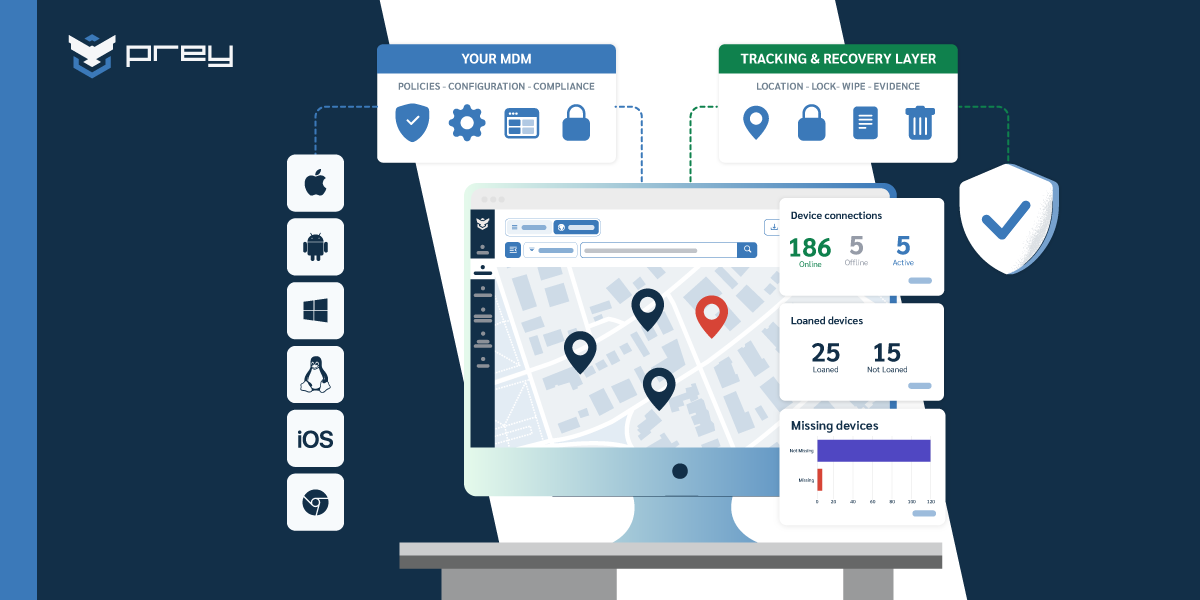
- What it is: Mobile device management (MDM) is software that lets IT enroll, secure, monitor, and manage every device a team uses (laptops, phones, and tablets across Windows, macOS, Linux, Android, and iOS) from a single dashboard.
- Why it matters: It replaces manual, device-by-device work with centralized control: enforce security policies, prove compliance, and respond to a lost device in minutes instead of days.
- How it works: Every device moves through the same lifecycle: enrollment, provisioning, deployment, ongoing management, and secure retirement.
- Where to start: Lead with your biggest gap (fleet visibility, lost-device response, or compliance), then match the solution to your fleet size and OS mix. Pilot before you roll out fleet-wide.
Did you know that mobile device usage in businesses has surged by over 50% in the past few years? As organizations embrace digital transformation and adapt to remote work, bring-your-own-device (BYOD) policies, and 1:1 programs in education, their IT asset inventories are rapidly evolving. In particular, the number and diversity of mobile assets—such as smartphones, tablets, and other portable devices—organizations must manage is growing rapidly. Gone are the days of managing only desktop computers; mobile devices now play a critical role in key business functions.
This shift has brought incredible flexibility but also significant challenges. How do you secure and manage a growing fleet of devices across multiple locations and networks? The answer lies in adopting a scalable mobile device management (MDM) solution. This guide will walk you through everything you need to know about MDM—what it is, why it's essential, and how to implement it effectively for your organization.
Mobile Device Management (MDM) is a centralized technology solution designed to manage and secure mobile devices. It empowers organizations to maintain control over their mobile IT assets, ensuring they remain secure, compliant, and efficient in their operation. MDM solutions go beyond basic device management by addressing the unique challenges posed by mobile endpoints, particularly in today's environments shaped by:
- BYOD Policies: Employee-owned devices accessing corporate resources.
- Remote Work: The shift to hybrid or fully remote teams.
- Education Technology: 1:1 device programs in schools.
These evolving workplace and educational needs demand a specialized approach to managing mobile devices, making MDM a cornerstone of modern IT and security strategies.
Introduction to mobile device management (MDM)
Mobile Device Management (MDM) has transformed into the backbone of smart IT strategy, especially as teams embrace the reality of a mobile-first world. Your employees are already using smartphones, tablets, and laptops to get work done from coffee shops, home offices, and everywhere in between – and that's actually amazing for productivity. But here's the thing: with all that freedom comes the very real challenge of keeping corporate data secure and devices running smoothly. That's where MDM solutions step in as your strategic ally, giving IT teams the power to manage devices seamlessly, enforce the security policies that actually matter, and keep every endpoint in your growing fleet compliant without creating headaches for users.
When you centralize control over mobile devices through MDM, you're not just checking a security box – you're creating a foundation that protects sensitive information while reducing those nagging security vulnerabilities that keep IT leaders up at night. Whether your team is collaborating in the office, crushing deadlines from home, or traveling to close that big deal, mobile device management gives you the visibility and control to monitor, secure, and support every device that touches your network. As mobile devices continue multiplying across your organization (and they will), investing in MDM isn't just smart – it's essential for protecting what matters most to your business, streamlining operations that actually work, and empowering a mobile workforce that drives real results.
How does MDM fit into device management?
Managing an organization's devices—whether physical or virtual—is a critical IT function. Device management involves overseeing the entire lifecycle of IT assets:
- Deployment and Configuration: Setting up devices with the necessary tools and software.
- Lifecycle Maintenance: Ensuring devices are regularly updated and secure.
- Policy Enforcement: Applying device policies to automate and manage device settings, such as scheduling, automatic adjustments, and remote control for improved operational efficiency, along with security measures like encryption and user access controls.
- Decommissioning: Safely retiring devices at the end of their lifecycle.
While device management provides a broad framework for handling all types of IT assets, mobile device management narrows the focus to the unique needs of mobile endpoints. As mobile devices like smartphones, tablets, and laptops become integral to business and educational operations, MDM ensures these devices are managed effectively and securely at scale.
Why mobile device management is important?
At the end of the day, mobile devices are more than just tools—they're the lifeline of modern organizations. But with that comes responsibility. Mobile device management should be able to address the risks and complexities that come with today's mobile-first world. Whether it's protecting data, simplifying compliance, or supporting a growing team, MDM isn't just important—it's essential. Mobile device security is a core reason organizations must prioritize MDM, as it ensures comprehensive protection for smartphones, tablets, and laptops through policies, encryption, and real-time threat mitigation.
Key benefits of mobile device management
- Protects Sensitive Data Across Devices
Imagine losing a device filled with business-critical data. It's a nightmare scenario, but MDM helps you avoid it. By enabling features like encryption, secure authentication, and remote wiping, along with robust security features built into MDM solutions, your data stays protected—even if the unexpected happens. - Keeps Your Business Compliant
From data privacy regulations like GDPR to industry-specific rules like HIPAA, staying compliant can feel overwhelming. Mobile device management should be able to enforce security policies, monitor usage, and even generate reports to show you're following the rules—all from a single dashboard. - Helps Your Team Stay Focused
Nobody wants their day derailed by a tech hiccup. With MDM, IT teams can troubleshoot remotely, deploy updates seamlessly, and handle device provisioning in minutes instead of hours. That means fewer distractions for your team and more time spent doing what they do best.
Why mobile device management should be a priority
At the end of the day, mobile devices are more than just tools—they're the lifeline of modern organizations. But with that comes responsibility. Mobile device management should be able to address the risks and complexities that come with today's mobile-first world. Whether it's protecting data, simplifying compliance, or supporting a growing team, MDM isn't just important—it's essential.
MDM vs. EMM vs. UEM vs. MAM
MDM solutions are one of several different types of device management solutions. The main types of endpoint management solutions that impact mobile devices include the following:
- Mobile Device Management (MDM): An MDM is a mobile device management solution focused solely on the management of mobile devices. It provides comprehensive capabilities for controlling, securing, and deploying devices across enterprise environments.
- Enterprise Mobility Management (EMM): EMM solutions can manage physical mobile devices but also have visibility into and control over the content and applications hosted on those devices.
- Unified Endpoint Management (UEM): UEM solutions are general endpoint management solutions. They unify management across all business endpoints, providing the ability to manage computers and mobile devices using a single solution.
- Mobile Application Management (MAM): Mobile Application Management (MAM) is a subset of Enterprise Mobility Management that enables organizations to manage, secure and deploy mobile applications on employee-owned and corporate-owned devices, while MDM focuses on managing and securing mobile devices.
MDM solutions are a subset of EMM solutions, which are a subset of UEM solutions. While all provide the same ability to manage mobile devices, solutions at higher levels expand their scope to include other systems as well (applications, content, computers, etc.).
Learn more about MDM vs EMM vs UEM
How does mobile device management work?
Understanding how mobile device management works is essential for simplifying and securing the management of devices throughout their entire lifecycle—from enrollment to retirement. Let's break it down into five straightforward stages:
Enrollment: setting devices up for success
Enrollment is the first step, where organizations can enroll devices and onboard devices into the MDM system using a variety of streamlined methods. This process can vary depending on the type of device:
- Android Devices: Tools like Android Enterprise or Zero Touch Enrollment allow organizations to onboard devices and enroll devices right out of the box, requiring minimal effort.
- Apple Devices: Apple Business Manager (ABM) enables zero-touch deployment, allowing IT teams to enroll devices and onboard devices purchased from authorized resellers with remote pre-configuration. For other cases, tools like Apple Configurator simplify the onboarding process.
- Personal Devices (BYOD): Employees working on personal devices can enroll devices using Android Work Profiles or Apple's User Enrollment program, ensuring corporate data remains separate and secure.
- Other Devices: For devices that don't support these automated methods, alternative options like QR code scanning or manual enrollment can be used to onboard devices, though manual enrollment is less efficient.
With mobile devices forming a significant portion of IT assets, choosing an MDM solution that supports all devices—including BYOD—is essential for scalability.
Provisioning: customizing devices to meet business needs
Once enrolled, devices are configured to comply with company policies. Provisioning typically includes:
- Security Settings: Enforcing password requirements, encryption, and app usage policies.
- Device Settings: Configuring and enforcing device settings remotely, such as Wi-Fi, security policies, and application configurations, to streamline management and enhance security.
- Preloaded Apps: Using tools like Android's Managed Google Play Store or Apple ABM to automatically install necessary apps and deploy apps as part of the provisioning process.
- Enterprise App Store: Some companies prefer to set up an internal app store, allowing employees to download pre-approved tools as needed.
- Data Management: Ensuring employees access approved corporate data storage and collaboration platforms to prevent the use of unapproved, risky solutions.
Provisioning ensures that employees have everything they need to work effectively while keeping corporate data secure.
Deployment: delivering ready-to-use devices
After configuration, devices are handed off to employees or students. For remote workforces or distributed teams, this often involves shipping devices preloaded with:
- Security Certificates: To connect seamlessly to corporate networks.
- Custom Settings: Personalization for specific users or job roles to ensure productivity from day one.
Before full-scale deployment, using test devices is essential to evaluate compatibility, security policies, and configuration settings, ensuring a smooth rollout and minimizing issues during handoff.
Location tracking can also be valuable, especially for organizations managing large fleets of mobile devices across multiple locations.
Management: keeping devices secure and efficient
Management is the longest phase, covering the device's active use period. MDM ensures devices remain secure, compliant, and functional by automating:
- Software Updates: Pushing app or OS updates remotely.
- Troubleshooting: Resolving device issues without requiring in-person IT support, using remote control and remote access capabilities for real-time support.
- Data Monitoring: Tracking usage patterns and the ability to track devices to prevent unauthorized access or excessive data consumption, supporting security and compliance.
With MDM, organizations can scale their device management efficiently, manage multiple devices simultaneously, and reduce manual IT tasks.
Retirement: safe and secure end-of-life
When a device is no longer in use—whether planned or unexpected due to loss or theft—MDM ensures proper retirement. This includes:
- Secure Data Wiping: Erasing sensitive information to protect intellectual property and customer data.
- Decommissioning: Removing the device from the system to prevent unauthorized access.
Mobile device management should be able to simplify these complex tasks while protecting corporate data and ensuring employees can work seamlessly.
MDM implementation: best practices and strategies
Getting mobile device management right doesn't have to feel like navigating a technical maze. It's about creating a solution that actually works for your team while keeping your organization secure. Here's how to build an MDM approach that transforms your mobile environment into something both powerful and genuinely user-friendly:
- Assess Your Needs: Take a step back and really understand what you're working with. Look at the devices your team actually uses, how they work, and what keeps you up at night from a security perspective. Whether you're dealing with bring-your-own-device chaos, corporate-issued equipment, or that interesting mix most of us live with – getting this foundation right makes everything else click into place.
- Choose the Right MDM Solution: This isn't about picking the flashiest platform – it's about finding one that genuinely fits your world. Look for solutions that speak the same language as your diverse device ecosystem, make enrollment feel effortless rather than painful, and give you the power to maintain security without making your users feel micromanaged.
- Develop Clear Security Policies: Think of policies as your team's roadmap, not a list of restrictions. Create guidelines around passwords, encryption, and app usage that actually make sense to real people doing real work. Your MDM platform becomes the gentle enforcer that keeps everyone on track without feeling heavy-handed.
- Streamline Device Enrollment: Nobody wants to spend their first day wrestling with device setup. Make onboarding smooth and intuitive by leveraging automated tools that work seamlessly whether someone's using their personal phone or a company device. When devices are properly configured from moment one, everyone wins.
- Monitor and Maintain Compliance: Stay on top of your mobile environment without becoming the compliance police. Use your MDM solution to keep an eye on device health, catch potential security issues early, and generate the reports that make audits feel manageable. Regular policy updates keep you ahead of emerging threats while adapting to how your business actually evolves.
- Educate Users: Your team wants to do the right thing – they just need to understand what that looks like. Provide training and resources that connect the dots between mobile security practices and protecting the work everyone cares about. When people understand the "why" behind policies, compliance becomes natural rather than forced.
- Plan for Scalability: Growth should feel exciting, not overwhelming. Choose an MDM solution that grows with you gracefully, handling more devices and users without sacrificing the performance or security that got you this far.
By embracing these strategies, you're not just implementing mobile device management – you're creating a mobile environment that protects what matters while empowering your team to work flexibly, efficiently, and confidently.
Features an effective MDM solution should have
An effective MDM solution goes beyond basic device control. In practice, the capabilities that matter cluster into six areas:
- Device tracking and remote actions. Always-on location, remote lock, and remote wipe, so a lost or stolen device never becomes a data breach.
- Application control. Push, update, whitelist, and remove apps without touching the device.
- Encryption and authentication. Enforce disk encryption, screen locks, and password policies across every operating system.
- Compliance monitoring. Flag devices that drift out of policy and produce audit-ready evidence automatically.
- Content and data management. Separate work data from personal, and wipe selectively when a device changes hands.
- Scalability and cross-platform support. Manage Windows, macOS, Linux, Android, and iOS with equal depth, and grow without per-seat cost spikes.
The set you actually need depends on your fleet size, your OS mix, and the gaps in whatever you run today; a lean team's must-haves look nothing like an enterprise's. For a full breakdown of each capability, how table-stakes features differ from advanced ones, and a checklist for evaluating one solution against another, see our guide to the MDM features to look for when choosing a solution.
The role of IT teams in MDM success
IT teams aren't just the backbone of mobile device management—they're the professionals who transform potential chaos into organized success. When you think about it, these professionals don't just manage technology; they create the foundation that lets everyone work confidently from anywhere. From day one through every challenge that comes up, IT folks wear multiple hats and make the magic happen:
- Policy Development and Enforcement: Here's where IT teams become the architects of digital safety. They craft security policies that actually make sense for how people work today, then use MDM tools to keep everything running smoothly. Think of it as building guardrails that protect your organization without getting in anyone's way.
- Device Inventory and Monitoring: This might sound like digital bookkeeping, but it's really about staying one step ahead of problems. IT teams keep their finger on the pulse of every device, watching for anything unusual and jumping into action when needed. It's like having a security system that actually prevents issues before they become headaches.
- User Support and Training: This is where the human side really shines through. IT professionals don't just fix problems—they empower people to succeed. Whether someone's setting up their first work device or dealing with a tricky situation, these teams turn frustration into confidence through genuine support and practical education.
- Continuous Improvement: The mobile world never stands still, and neither do great IT teams. They're constantly fine-tuning performance, updating security measures, and adapting to whatever comes next. It's not about perfection—it's about getting better every day and staying ahead of emerging challenges.
- Collaboration Across Departments: The best IT teams know they can't work in isolation. They build bridges with HR, compliance, and other departments, making sure device management actually supports what the organization is trying to accomplish. It's about creating solutions that work for everyone, not just the tech-savvy folks.
When IT teams stay engaged and take this proactive approach, something remarkable happens. Organizations don't just manage devices—they unlock productivity, protect what matters most, and create an environment where people can do their best work from anywhere. That's the real transformation.
Mobile device management and BYOD
Bring Your Own Device (BYOD) allows employees to use their personal devices for work instead of company-provided hardware. While this approach boosts employee satisfaction and productivity, it also introduces security challenges. BYOD increases the risk of data breaches, unauthorized access, and non-compliance with industry regulations.
Mobile Device Management (MDM) is essential for securing BYOD environments. It enables organizations to apply security policies, monitor device usage, and protect sensitive data without compromising user privacy. MDM also facilitates secure users access to corporate resources from mobile devices, ensuring that end users can connect safely to enterprise systems. Access management is a critical component in securing BYOD, as it enforces authentication, controls device access, and integrates with security policies to protect corporate data. With MDM, companies can:
- Enforce encryption and secure app use.
- Separate work and personal data.
- Remotely wipe corporate information from lost or stolen devices.
By implementing MDM, businesses can embrace BYOD to improve employee flexibility, reduce hardware costs, and maintain robust data security.
MDM for different business sizes
Every organization has unique needs when it comes to managing mobile devices. Business mobile device management solutions should be tailored to fit the size and scale of operations:
- Small Businesses: Focus on cost-effective solutions with core features like device tracking, remote wiping, and secure app distribution. Choosing a cloud based solution offers ease of deployment and management, with minimal on-premise infrastructure and automatic updates.
- Mid Sized Businesses: Need scalable and straightforward MDM features that can grow with the organization. A cloud based solution provides centralized control, remote management capabilities, and flexibility, making it ideal for mid sized businesses that require efficient device management without complex IT demands.
- Large Enterprises: Require advanced tools that offer scalability and integration with other IT systems. Features like AI-driven compliance monitoring, cross-platform support, and detailed analytics help enterprises manage thousands of devices while maintaining security and regulatory compliance.
No matter the size of your business, an MDM solution should empower your team to work securely and efficiently.
Learn more about Top MDM solutions for SMB's
Industry context matters as much as size. Device fleets in schools running 1:1 programs, healthcare settings handling patient data, retail floors with shared POS terminals, and MSPs managing multiple client environments each carry constraints the general playbook does not cover.
The future of mobile device management
As technology evolves, so does the scope of mobile device management. Modern mobile device management software is rapidly evolving to address new security and management challenges, offering enhanced features and flexibility for businesses. The future of MDM is shaped by several emerging trends:
- AI-Driven MDM Solutions: Artificial intelligence will enable smarter, real-time threat detection and predictive analytics to enhance device security and performance.
- Integration with IoT Devices: MDM is expanding to include Internet of Things (IoT) devices, providing unified management for a growing array of connected endpoints. It is increasingly important to control which devices connect to corporate networks, ensuring only authorized devices are granted access and maintaining compliance with security policies.
With these advancements, MDM will become even more critical for businesses looking to stay ahead of security challenges and operational complexities. Prey is at the forefront of this evolution, offering solutions designed to adapt to these emerging trends and help businesses future-proof their mobile device strategies.
What can MDM do for you?
Changes in how companies do business have made mobile devices more common and endpoints a greater target for cybercriminals. As devices move off of the corporate network with their built-in defenses, companies need solutions that enable them to manage these devices—including both personal and corporate devices—and protect them against cyber threats.
This includes the ability to manage each stage of the device lifecycle from initial enrollment through provisioning, deployment, and management to final retirement. Companies need to be able to know what devices they own, where their devices are, ensure that they are compliant with corporate policies, install any required updates, protect against stolen devices, and safely retire assets at the end of their useful lifecycles.
Conclusion: maximizing value with MDM
Mobile device management isn't just another tech tool to check off your list—it's essential for how your organization handles security, boosts productivity, and sets itself up for what's coming next. When you embrace a solid MDM solution, you're not just locking down devices and protecting data; you're giving your team the freedom to work from anywhere without that nagging worry about security breaches.
Here's the thing about getting real value from MDM: it comes down to picking the right platform, rolling it out the smart way, and trusting your IT team's expertise. As mobile threats keep evolving and you're managing more devices than ever, staying committed to proper device management isn't just smart—it's what keeps you ahead of the curve while opening doors to opportunities you might not have seen coming.
Think of mobile device management as your organization's foundation for the mobile-first world we're living in. When you make it a core part of your IT strategy, you're setting yourself up to hit those business goals, keep sensitive information locked down tight, and create an environment where your team can absolutely thrive no matter where they're working from.
Frequently asked questions
What is the MDM protocol for mobile device management?
The MDM protocol is a set of rules that allows organizations to manage and secure mobile devices by enabling remote execution of management commands and facilitating device registration with an MDM server. This approach enhances device support, security, and operational functionality while providing user flexibility.
What are the four phases of the mobile device management lifecycle?
The four phases of the mobile device management lifecycle are acquisition, deployment, maintenance, and retirement. Each phase is essential for ensuring devices remain secure and functional.
Why is strong user authentication important for mobile device security?
Strong user authentication is crucial for mobile device security as it effectively prevents unauthorized access, safeguarding sensitive and corporate data from potential breaches. Ensuring robust authentication measures minimizes the risk of data theft and enhances overall security.
How can regular software updates enhance mobile device security?
Regular software updates enhance mobile device security by eliminating security vulnerabilities and ensuring that the device remains functional and efficient. Consistently updating your software is crucial for maintaining optimal device safety.
What are the benefits of using Mobile Device Management software?
Utilizing Mobile Device Management (MDM) software significantly enhances operational efficiency by enabling organizations to remotely manage and secure mobile devices, enforce security policies, and automate updates. This results in improved security and streamlined device management across the organization.
What is the difference between corporate devices and employee-owned devices in MDM?
Corporate devices, also known as corporate owned devices, are purchased and managed by the organization, allowing IT teams to enforce strict security policies, automate onboarding, and control device usage. Employee-owned devices, often part of BYOD (Bring Your Own Device) programs, are personally owned by staff and typically have limited management to protect user privacy while still securing corporate data.
What are managed devices in the context of MDM?
Managed devices are smartphones, tablets, or corporate devices that are enrolled in an MDM system, allowing IT administrators to monitor, control, and secure them remotely. This includes applying security policies, enabling remote troubleshooting, and ensuring compliance with organizational standards.
How does app management work in MDM solutions?
App management in MDM solutions provides centralized control over app distribution, updates, and permissions on managed devices. IT teams can remotely install, update, or remove applications, ensuring only approved apps are used, which reduces costs, improves security, and enhances user productivity.
Can MDM systems integrate with other IT management tools?
Yes, MDM systems can integrate with other IT management tools to create a unified approach to endpoint management. This integration streamlines device management, enhances security, and allows organizations to scale their IT operations efficiently across diverse environments.
Ready to take control of your mobile fleet?
Prey MDM gives you the visibility, security, and scalability you need to manage every device—whether it's corporate-issued or part of a 1:1 program. Protect your data, stay compliant, and simplify IT operations without breaking your budget.
Book a demo today and see how Prey can help your team stay secure, compliant, and efficient in a mobile-first world.