
Friday, 4:12pm. HR messages you: the sales rep in Denver finished today, effective immediately. You open the admin console, disable the account, mark the ticket resolved, and close your laptop.
Their laptop is still open on a kitchen table 900 miles away. And it still works.
This is the part most offboarding checklists skip. As one MSP put it during a demo with our team: "Even after disabling a user's account, employees can still delete data stored locally due to cached credentials." The account is gone from your directory. The session on the device isn't. Windows and macOS both cache credentials so people can log in without a network connection, which is a feature right up until the moment you need it not to be.
It's common enough that offboarding came up as a primary concern in roughly 30% of the sales demos our team ran across two research rounds, in the same shape each time: terminated employees with local data, laptops never returned.
This guide covers the checklist twice: by control layer, so nothing gets skipped, and by the clock, so you know what happens Friday at 5pm versus three weeks later when the box still hasn't arrived. Plus the part nobody writes about: what you do when the laptop never comes back.
Why doesn't deactivating the account end the access?
You revoke the account and the ticket looks closed. The endpoint disagrees.
Disabling an employee's identity provider account blocks new sign-ins, but it doesn't reach a device that's already authenticated. Windows and macOS cache credentials locally so users can log in without connectivity, which means a departing employee's laptop can keep opening local files, offline mail archives, and synced folders for days after the account is gone.
The mechanism is boring, which is why it gets missed. Cached credentials exist so your field technician can log in on a job site with no signal; the OS validates against a stored hash instead of phoning home. Nothing in that process asks Okta or Entra ID whether the person still works there.
So what stays reachable after the action that felt decisive? Local files on the disk. A cached copy of the mailbox, if the client was offline-enabled. Cloud folders that already synced down and can still be dragged to a personal drive. Browser sessions with saved tokens that haven't expired.
This is also the blind spot in the tooling most teams reach for. SaaS management platforms see application licenses; privileged access tools see credentials and vaults. Neither can see whether a specific laptop in Denver is powered on right now with a valid local session and 40GB of client files on it.
Identity revocation isn't wrong. It's necessary and it's first. But it's one layer of four, and the three underneath need their own actions on their own timeline.
The offboarding clock: what happens when
A departure lands on your desk with a date attached, and the checklist you find online has no dates on it at all.
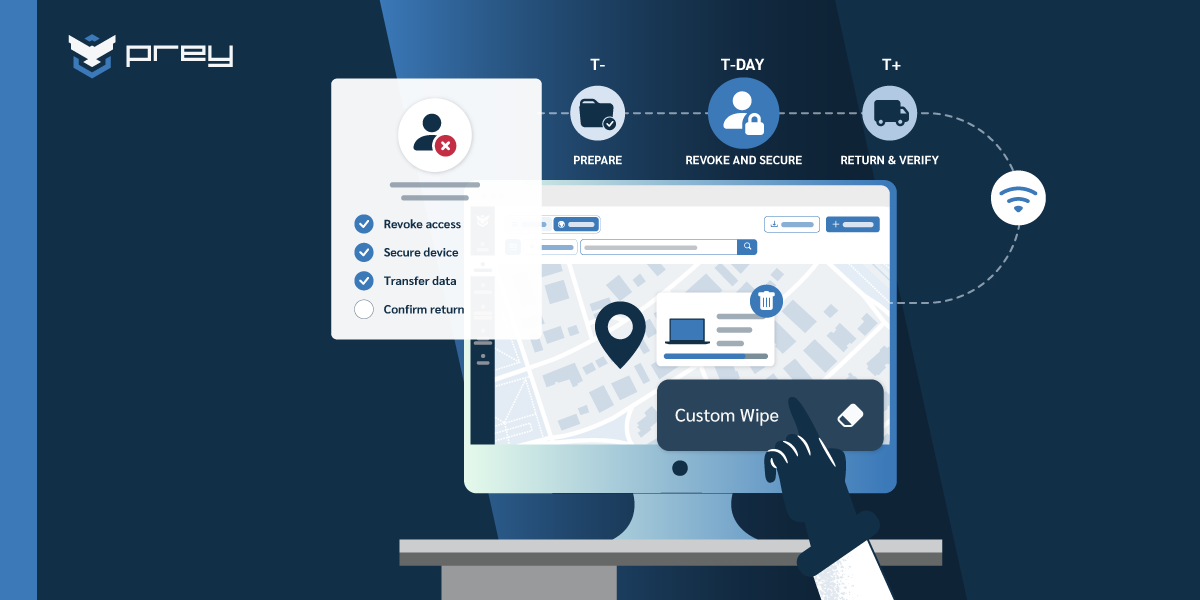
An effective IT offboarding sequence runs on three clocks: before the last day (T-minus), on the exit date (T-day), and after departure (T-plus). Access revocation belongs on T-day and has to hit identity and device in the same window. Data handover belongs on T-minus, because it requires the account to still work.
That last constraint catches teams out. You cannot transfer file ownership, delegate a mailbox, or reassign a shared drive after you've revoked the account that owns them. Do it in the obvious order and you'll spend the next week re-enabling an account you just disabled, which is both embarrassing and an audit finding.
The step that catches teams out sits in T-minus. Confirm every device against your IT asset inventory, not against memory, transfer file ownership, and set up mailbox delegation while the account still works.
On T-day, identity and device fire together: disable the account, kill sessions and refresh tokens, lock or wipe the endpoint. Not sequentially over an afternoon. Together.
One detail worth checking before you need it: how long your tooling takes to actually start a remote action. An MSP serving legal and healthcare clients told us that when they tested Microsoft Intune, a remote wipe took 34 minutes to initiate. "We can wipe it" and "it is wiped" are separated by a number you should know in advance.
Quick win: Move data handover to T-minus 5 and put it in the offboarding template as its own step with an owner. If handover is currently on the last-day checklist, you have a standing reason to re-enable disabled accounts, and every one of those is a gap in your access control evidence.
The IT offboarding checklist, by control layer
Most checklists are flat lists of ten to thirteen steps, and flat lists are where things get skipped: item eleven always looks less urgent than item two.
A complete IT offboarding checklist covers four layers: identity (accounts, sessions, tokens), device (cached credentials, enrollment, encryption), data (local files, mailbox, shared ownership), and hardware (physical return and re-provision). Offboarding is one stage of device lifecycle management, and it's the stage with the least documented process. Each layer needs its own action. Closing one does not close the others.
The device layer is the one the flat lists forget, and two details carry the weight. Keep MDM enrollment active until the hardware is physically back, not until the account is gone. And verify the disk encryption key is escrowed somewhere you control, because an encrypted laptop you can't decrypt is a different problem from a wiped one. Lock or remotely wipe on the exit date, and document what was on the disk before it leaves; the same applies to wiping corporate devices before reissue.
The shared-account problem deserves its own line. Service accounts, shared logins, and API keys created by a departing engineer don't show up in a user-centric offboarding report. They work perfectly until someone rotates a password six months later and an integration breaks, with no one left who knows what it did.
Quick win: Run a check this week on whether your identity provider's "disable user" action also kills active sessions. In several major platforms it does not by default. If yours doesn't, add session revocation as an explicit line item, because right now your revocation is a sign-in block with a live session sitting behind it.
The return gap: weeks when the device is still yours and not in your hands
The exit date passes, the return kit goes out, and then there's a stretch of time nobody owns.
The riskiest window in remote offboarding is between the exit date and the device physically arriving. That gap commonly runs two to four weeks. Throughout it the laptop is still enrolled, still holds company data, and still counts in your inventory. Lock or wipe on the exit date rather than waiting for receipt.
The logistics fail for a predictable reason: they get decided when they're already needed. Someone has to find a box, a shipping label, and an address for a person who no longer has a work email. Multiply that by turnover and you have a permanent backlog of devices in transit.
Teams that have solved this decided the logistics upfront: a prepaid return kit issued with the device or generated on the exit date, a return window written into your IT equipment policy at signing, and a local collection option for countries where shipping a laptop back costs more than replacing it.
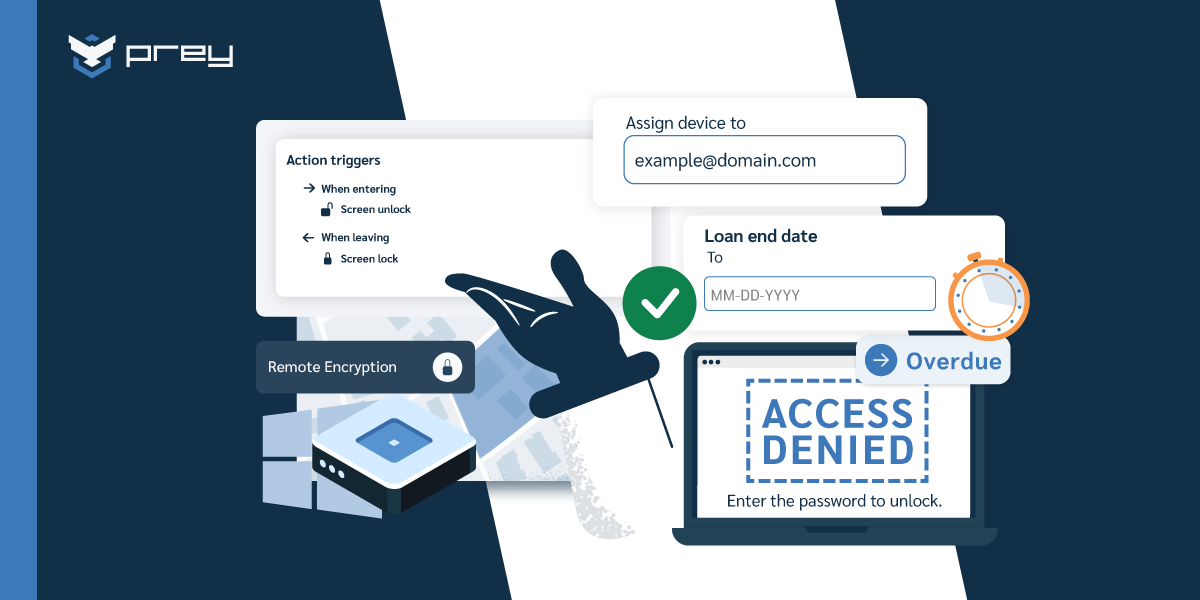
But logistics aren't the security answer, they're the recovery answer. The security answer is what the device is doing during those weeks. A network administrator at a mid-market company described the pattern to G2 this year: "We had an issue with tracking assets, and sometimes devices being stolen or not returned when an employee leaves. We also do a loaner program on assets, and we really like the feature of setting up an auto lock on the device when the asset is supposed to be turned back in."
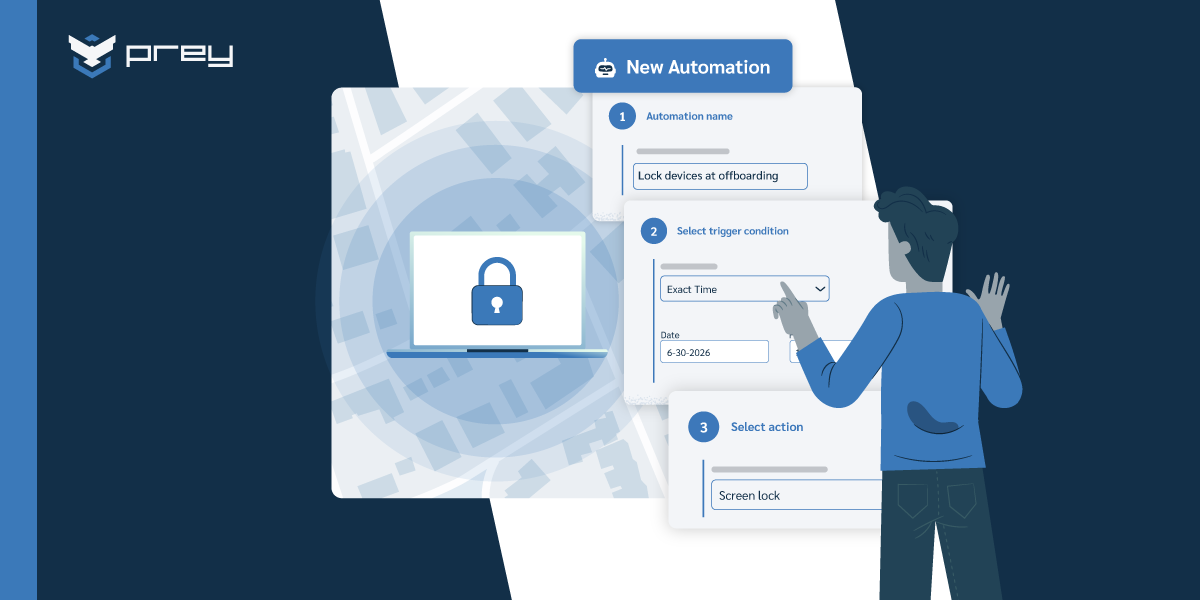
That's the mechanic worth copying: the return date isn't just a milestone, it's a trigger. If the device isn't back by then, it locks. No ticket, no chase.
Quick win: Set your lock or wipe action on the exit date, not on receipt. If your current process waits for the box to arrive, you have a two-to-four week window where a former employee holds a working, enrolled, loaded laptop and your only control is their goodwill.
What if the device never comes back?
Sometimes it just doesn't. As one small-business IT lead put it on G2: "We have about 30 company laptops that get loaned out to the team and there was a time when someone left the company and took the laptop with them." The tracking number never activates, the emails go unanswered, and after a while you're managing an asset that exists only in your inventory.
When a departing employee doesn't return a device, the priority shifts from recovery to containment: lock the device, wipe company data, and document both actions with timestamps. The record matters as much as the device, because it's what separates an unreturned asset from a reportable data incident.
Containment first is the part teams get backwards. The instinct is to keep negotiating for the return while the device stays live, on the theory that wiping it burns the bridge. But the data is the exposure and the hardware is a line item. Secure the data, then work the return on a separate track.
Most of these are inertia, not bad faith. Someone moved, the box is in a garage, the follow-up went to a dead address. But some aren't, and the resolution is usually less dramatic than expected. An IT consultant described one to G2: "A former employee falsely claimed to have returned his company laptop. We were able to geolocate it to his home and send him timestamped photos of him still using it in his living room. He was told to bring it over within the hour or hand it to the police when they arrived. He wisely chose to return it." No confrontation, no accusation. Evidence closed a factual dispute that would otherwise have been one person's word against a spreadsheet. The same evidence trail applies when you're recovering a device that isn't returned for any reason.
Location history matters more than a current position here: the useful question is rarely "where is it now" but "where has it been checking in from for the past three weeks."
One honest limitation, since this audience will ask: a software agent installed at the OS level does not survive a factory reset. If someone reinstalls the operating system, the agent goes with it, and that's true of any agent-based approach. What mitigates it is layering: firmware or BIOS passwords, activation lock on Apple hardware, and full disk encryption, so that a wipe destroys the data rather than freeing the device. If you lose the hardware, you don't also lose the data.
Quick win: Write the unreturned-device branch into your offboarding runbook before you need it. Define at what point (say, seven days past the return deadline) the device gets wiped automatically, who approves it, and where the record goes. Deciding this during an actual dispute is how devices sit live for months.
Proving the offboarding actually happened
Then, months later, an auditor picks a name off a list.
Auditors don't ask whether you have an offboarding policy. They ask you to show, for a specific named departure, when access was revoked and what happened to the device. That requires a timestamped record of each action, who authorized it, and the device's final state.
A ticket marked "resolved" is not evidence. It shows the work was considered done, not that access ended at a particular moment or that data left a particular machine. When a request lands, four artifacts do the work: the revocation timestamp from your identity provider, the device action log showing the lock or wipe with its result, the inventory status change showing the asset returned or written off, and a note on the device's final state.
This maps onto what the frameworks already expect. SOC 2 tests access removal on termination under CC6.2 and CC6.3, and testing means sampling real departures. ISO 27001 covers it in A.5.11 (return of assets) and A.5.18 (removal of access rights). HIPAA lists termination procedures as an administrative safeguard. GDPR Article 32 asks for measures ensuring confidentiality, and a laptop a former employee can still open is a failure of exactly that.
The practical distinction sits in the last one. If a device goes missing with company data and you can show it was locked and wiped on the exit date, you're managing a lost asset. If you can't show anything, you may be assessing whether personal data was exposed, on a notification clock that started when you became aware. Same missing laptop, two very different weeks.
The record is a byproduct of doing the offboarding properly with tooling that logs its own actions. If you're generating evidence manually after the fact, the process is telling you something.
How endpoint management tools close the device gap
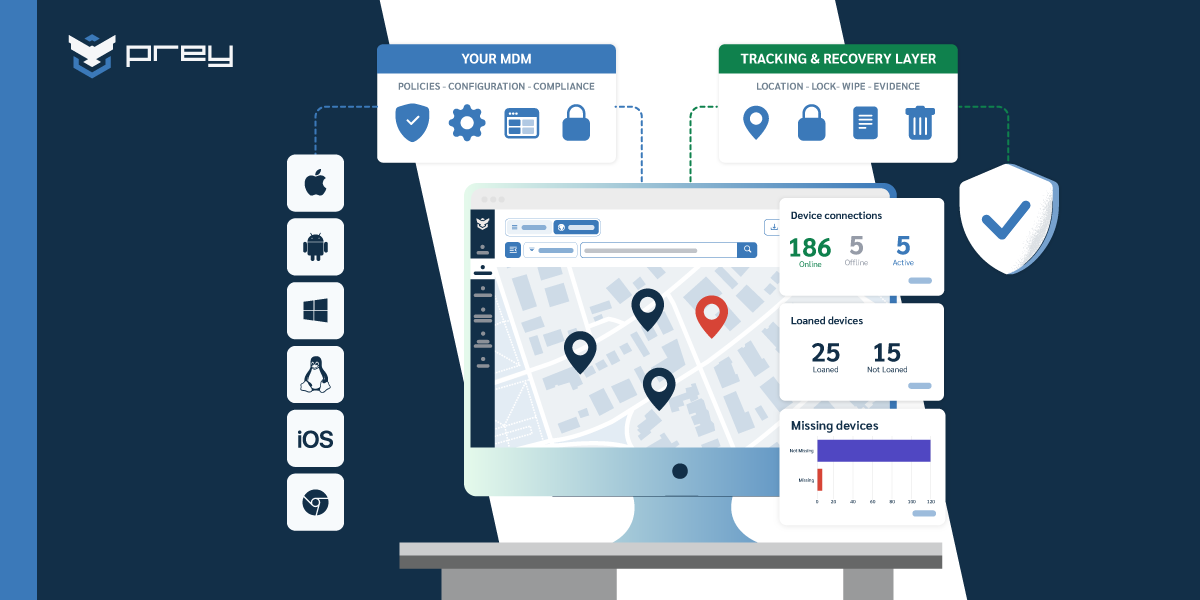
Everything above assumes you can actually reach the endpoint after the account is gone. That capability is the whole game, and it doesn't come from your identity provider.
Prey fits here as one implementation of that layer. The workflow is unremarkable, which is the point: the device stays enrolled through the return window, a lock triggers on the return date if the hardware hasn't arrived, a wipe can be queued so it fires whenever the device next connects, and every action lands in a log you can export.
That queued-action detail matters more than it sounds. A device powered off on the exit date isn't out of reach; the command waits and fires on reconnect, covering the common case of someone who shuts the laptop on their last day and doesn't open it for two weeks. It works across Windows, macOS, Linux, Android, iOS, and Chromebook, which matters when the returning fleet is whatever people were issued over four years rather than a standardized refresh.
Start with one departure
The offboarding gap isn't a discipline problem. Teams that miss it are working from a checklist that treats identity revocation as the finish line, because that's how nearly every published checklist is written.
But a laptop that's already logged in doesn't ask your identity provider for permission. It keeps working on cached credentials, holding local files, sitting in someone's home for the weeks it takes a box to move. Closing the account is the first of four layers, and the three underneath it are where the data actually lives.
Monday morning, pick one departure from the last six months and trace it end to end. When did the account get disabled? When did the device get locked? When did the hardware come back, and where's the record? If any answer is "I'd have to check," you've found the layer to fix first.
Frequently asked questions
What is IT offboarding?
IT offboarding is the process of removing a departing employee's access to company systems and recovering or securing the devices and data they held. It covers four layers: identity (accounts and sessions), device (the endpoint itself), data (files and mailboxes), and hardware (physical return). It runs in parallel with HR offboarding but addresses different risks.
Can a former employee still access data after their account is disabled?
Yes, on the device itself. Windows and macOS cache credentials locally so users can log in without connectivity, which means an already-authenticated laptop keeps working after the directory account is disabled. Local files, offline mailbox copies, and synced cloud folders stay reachable until the device is locked or wiped. Account revocation blocks new sign-ins, not existing local sessions.
How do you recover IT assets during offboarding?
Decide the logistics before you need them: issue a prepaid return kit with the device or generate one on the exit date, and write the return window into the equipment policy rather than negotiating it per departure. Track the return against a deadline, secure the device on the exit date instead of on receipt, and reconcile inventory only when the hardware is physically back.
What are the best options for hardware offboarding?
Three models dominate: prepaid return shipping managed in-house, third-party retrieval services that handle collection at scale, and local collection points for regions where return shipping costs more than the device. Most distributed teams combine them by geography. Whichever you pick, pair it with a device-side lock so the laptop is secured in transit.
What happens if the device is offline or gets wiped?
Commands issued to an offline device queue and execute when it next connects, so a lock or wipe set on the exit date still fires when the laptop comes back online. A full OS reinstall is a genuine limit: an agent installed at the OS level doesn't survive a factory reset. Firmware or BIOS passwords, activation lock, and full disk encryption are what cover that case, by making the data unrecoverable even when the hardware is gone.
See it on your own fleet
See what closing the device side of a departure actually looks like: lock, wipe, locate, and document a device from one dashboard, across Windows, macOS, Linux, Android, iOS, and Chromebook. Get started with Prey.